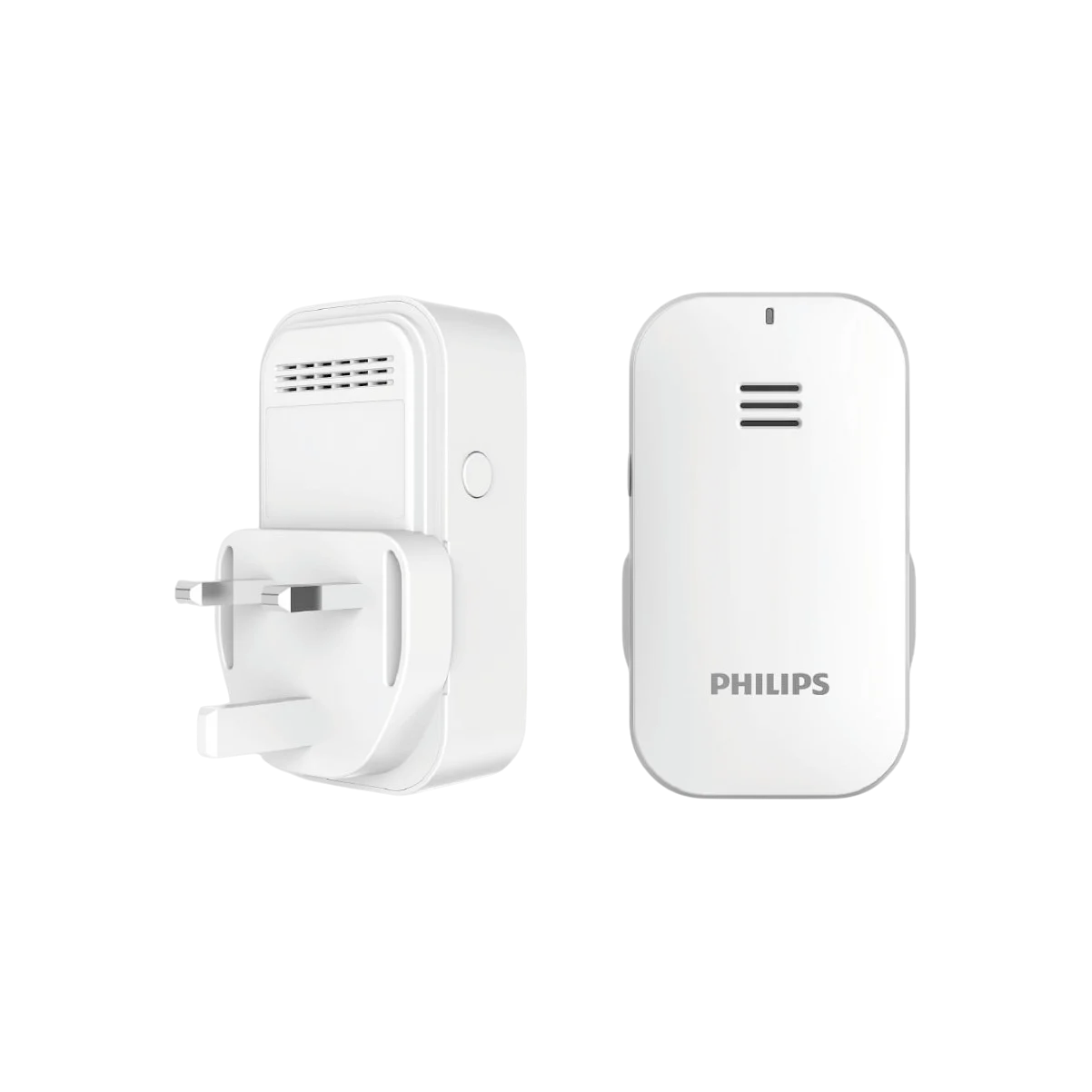
Philips EasyKey Gateway
Original price was: 650,00 د.إ.450,00 د.إCurrent price is: 450,00 د.إ. inc VAT
By simply binding the Philips gateway with the smart lock, you can achieve personalized management of smart lock, such as remotely monitoring the status of the smart lock and creating PIN codes at any time.
You’re now subscribed to price tracking for this product. We’ll notify you if the price drops.
What Is the Philips EasyKey Gateway?
The Philips EasyKey Gateway is built to enhance how homeowners control their entry access using Philips Smart Locks. Acting as the communication bridge between your lock and the Philips EasyKey app, it unlocks full remote functionality. With it, you can monitor door activity, manage PIN codes, check lock status, and receive notifications instantly, even when you’re far from home.
Core Purpose of the Device
The main purpose of the device is to connect your smart lock to the internet. Without it, smart lock features remain local. With the gateway, you gain expanded capabilities for enhanced home security and convenience.
How It Integrates With Philips Smart Locks
After installing and pairing the gateway, it communicates using low-power Bluetooth and syncs your lock with the cloud. This ensures smooth, secure communication between your lock and your smartphone.
Key Features of the Philips EasyKey Gateway
Real-Time Remote Monitoring
The gateway gives you instant visibility into your home’s door status and activity through the Philips EasyKey app.
Live Lock Status Checking
You can quickly check whether your door is locked or unlocked at any moment. This eliminates uncertainty when you leave home in a hurry.
Remote Lock/Unlock Functionality
You gain the ability to lock or unlock your door from anywhere using your smartphone. This is ideal for letting in guests, family members, or service providers.
Remote PIN Code Management
Easily add, edit, or remove PIN codes through the app. This is convenient when you want to provide temporary or long-term access to visitors.
Real-Time Alerts & Notifications
Every time the door opens or closes, you receive an instant alert. This helps you stay informed about every entry and exit event, enhancing peace of mind.
Benefits of Using the Philips EasyKey Gateway
Enhanced Home Security
Full monitoring and instant notifications help keep your home more secure. Every lock activity is logged and accessible through the app.
Home-Focused Control and Access Flexibility
The Philips EasyKey Gateway is specifically designed for residential use. This means it delivers tailored features such as user PIN management and remote access control suited for daily home life.
Extended Battery Life Through Low-Power Bluetooth
By using low-power Bluetooth technology, the gateway reduces energy consumption and helps your smart lock maintain longer battery life.
Installation & Setup Guide for Philips EasyKey Gateway
Simple Plug-and-Play Design
Setting up the gateway is simple. Plug it into a wall socket and ensure it connects to your home Wi-Fi.
Binding the Gateway to Your Smart Lock
Open the Philips EasyKey app, follow on-screen steps, and bind the device to your Philips Smart Lock.
Configuring Remote Access in the Philips EasyKey App
Once paired, the gateway instantly enables remote features like lock control, monitoring, PIN management, and notifications.
Who Should Use the Philips EasyKey Gateway?
Homeowners with Frequent Visitors
Perfect for households that regularly welcome guests, cleaners, babysitters, or delivery personnel.
Families Needing Convenient Remote Access
Parents can easily monitor when kids arrive home or unlock the door remotely when children forget their PIN.
People Seeking Advanced Smart Home Security
Smart home enthusiasts and safety-conscious users benefit from real-time access control and enhanced monitoring.
Technical Specifications (Overview)
Connectivity Requirements
-
Stable Wi-Fi network
-
Compatible Philips Smart Lock
-
Philips EasyKey app installed on a smartphone
Power & Energy Efficiency
The device uses plug-in power while communicating with the lock via low-power Bluetooth, ensuring consistent and efficient performance.
Comparison: Philips EasyKey Gateway vs. Traditional Smart Lock Use
Feature-by-Feature Comparison Table
| Feature | Smart Lock Alone | With Philips EasyKey Gateway |
|---|---|---|
| Remote lock/unlock | No | Yes |
| Real-time notifications | No | Yes |
| Remote PIN management | No | Yes |
| Battery optimization | Partial | Full |
| Cloud synchronization | No | Yes |
| Full app control | Limited | Full |
Troubleshooting & Maintenance Tips
Connectivity Issues
Ensure the gateway is plugged into a stable power source and that your home Wi-Fi signal is strong. Restarting the device or router may resolve most connection issues.
App & Firmware Updates
Regularly update the Philips EasyKey app for the latest features, compatibility improvements, and security patches.
FAQs About the Philips EasyKey Gateway
1. Do I need the Philips EasyKey Gateway for my smart lock?
You need the gateway if you want to enable remote operation, real-time alerts, and remote PIN management.
2. Can I use it with any Philips Smart Lock?
Most Philips Smart Lock models support the gateway, but checking compatibility on the official product website is recommended.
3. Does this device drain the lock’s battery faster?
No. The gateway uses energy-efficient technology that helps extend battery life rather than shorten it.
4. Can multiple users operate the lock remotely?
Yes. Users with shared access to the Philips EasyKey app can operate the lock remotely.
5. Is the setup complicated?
No. Installation is plug-and-play, and the app provides guided steps.
6. Does it support integrations with smart home assistants?
Some integrations may be supported through third-party platforms. Check Philips’ official resources for updated details.
Conclusion
The Philips EasyKey Gateway is an essential addition to any home using Philips Smart Locks. With remote control, real-time monitoring, extended battery efficiency, and effortless setup, it significantly enhances home security and convenience. Whether you’re managing frequent access, improving home automation, or simply ensuring peace of mind, the gateway provides a reliable and modern solution.
Related products